Every client, every computer and every website, in one place.
See which computers need you before your clients call, connect to them in one click, keep managed backups honest, get one email each morning with everything that needs attention, and build your clients' websites on their own domains.
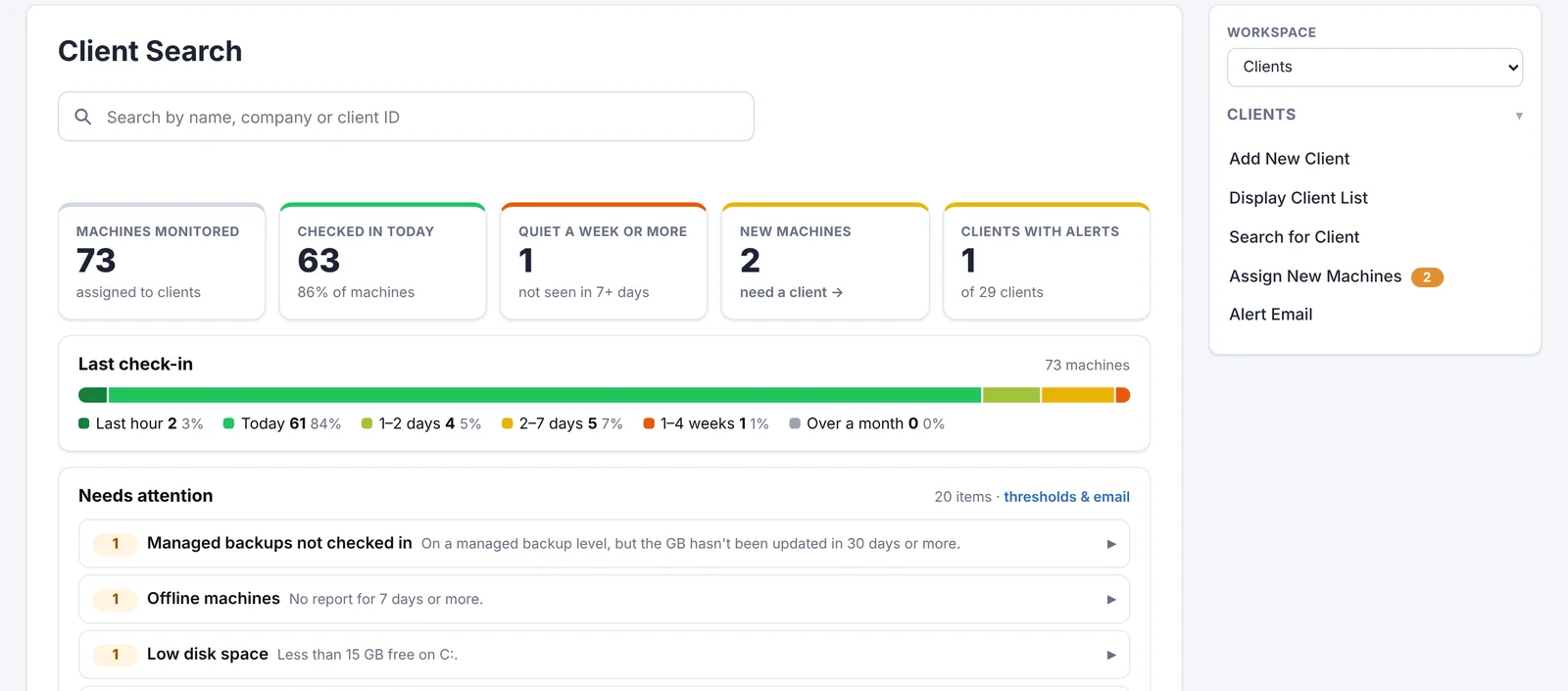
Know which computers need you, at a glance.
The first thing you see when you open your workspace: how many machines checked in today, which have gone quiet, and a short list of what actually needs attention.
Machine monitoring currently works with Windows PCs. Macs aren't supported yet.
- Offline machines, low disk space, failing disks and worn-out SSDs
- Overdue Windows updates, antivirus or firewall problems, BitLocker off
- Failed backups, tired laptop batteries and warranties about to end
- Thresholds you choose: days offline, GB free, drive temperature, warranty warning
- Click a computer to see its whole health card, and send the right email from the same row
- Search, filter and sort clients by alerts, name, company, devices, last seen or machine age, or show only the machines with alerts, still grouped by client
- Each client's average internet speed, ping and jitter at a glance
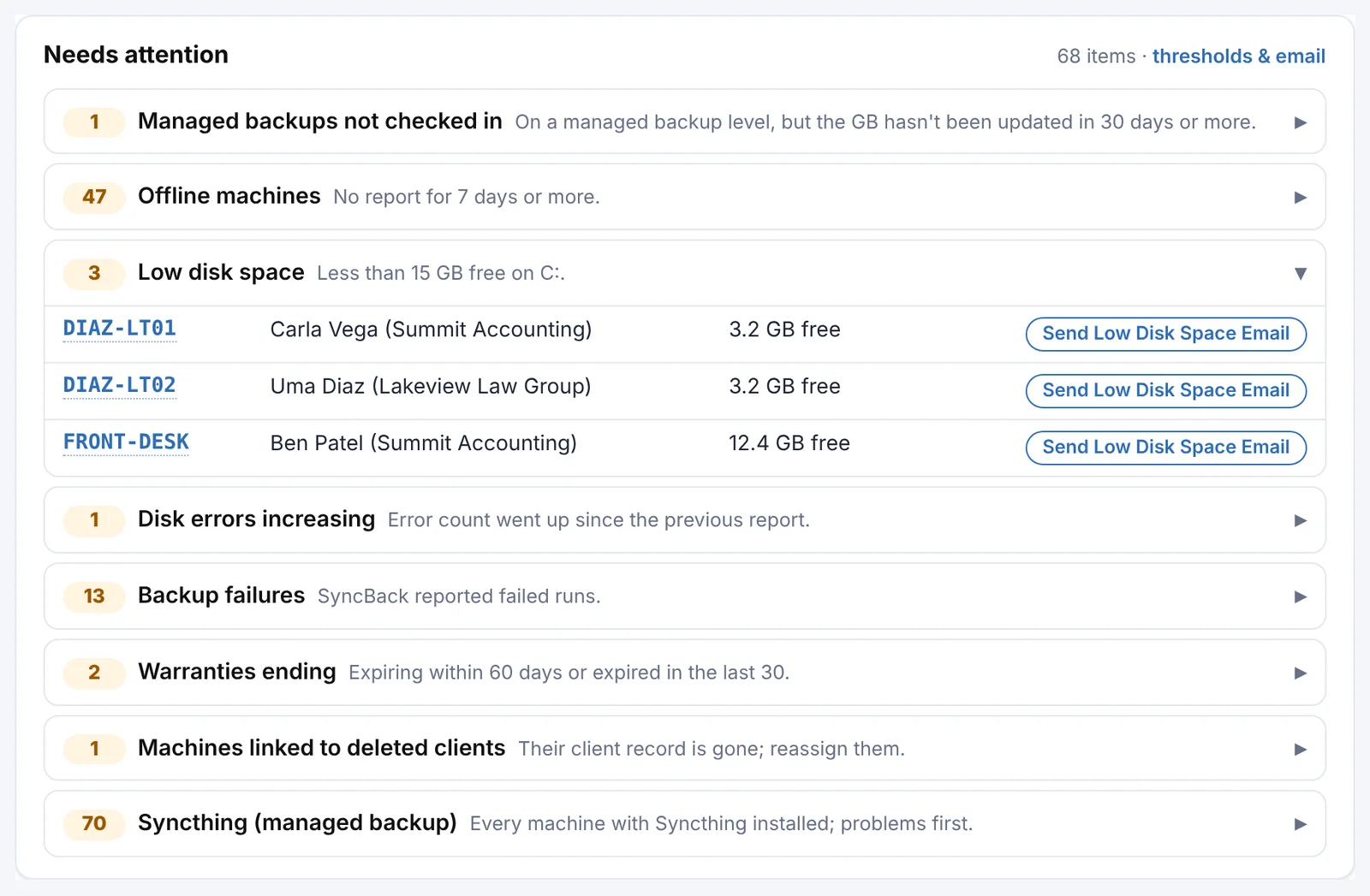
New computers sorted into the right client in one click.
When the PC health agent on a Windows PC reports a computer nobody has claimed yet, it lands in Assign New Machines with a badge on the menu, so nothing slips through.
- A suggested client, matched from the machine's last signed-in user
- Search any client by name or company, or tick several machines and assign them together
- Machines left on deleted clients are found and reassigned too
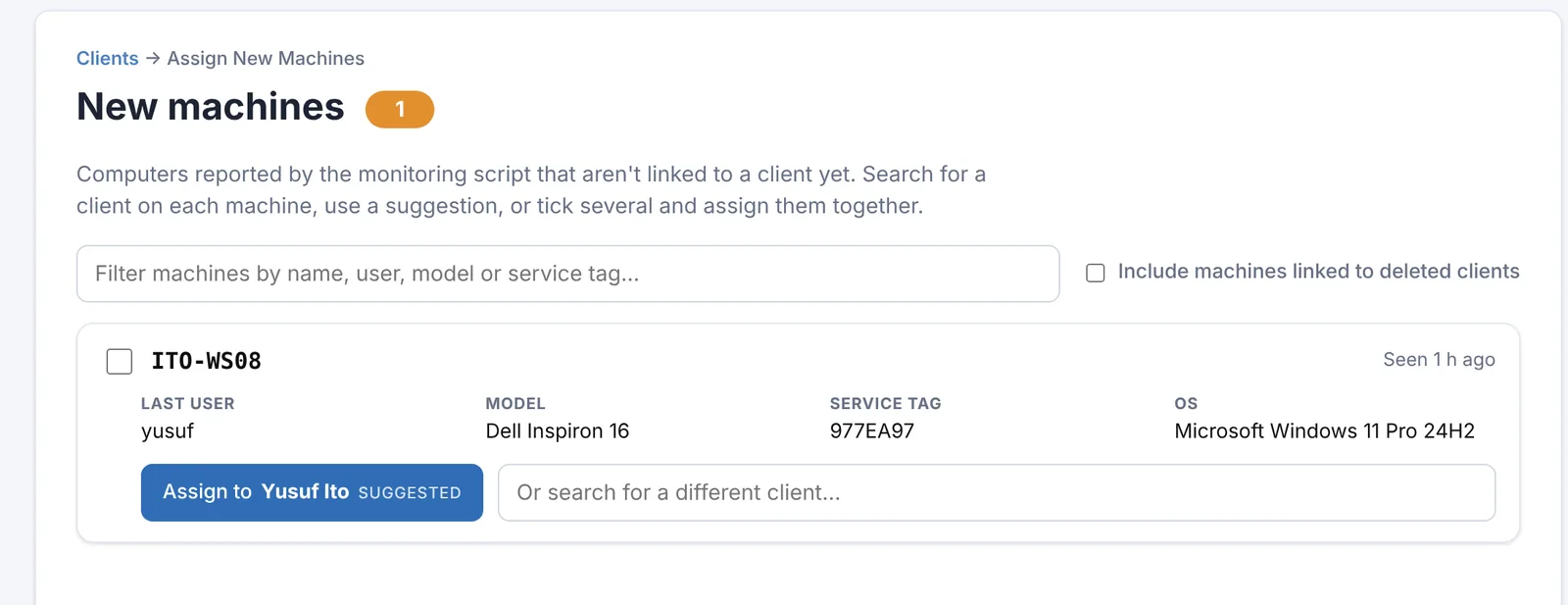
Your brand in their taskbar. Their PC's health on your website.
One install command per PC, or one script in your RMM. The agent checks Windows Update, antivirus, BitLocker, disk and SSD health, battery wear, Windows 11 readiness, internet speed, ping and jitter, and updates itself.
- A tray icon with your logo: book a visit, see the PC's health or call you
- A client-friendly machine dashboard on your own website
- Thresholds you choose, in your Alert Center and your morning email
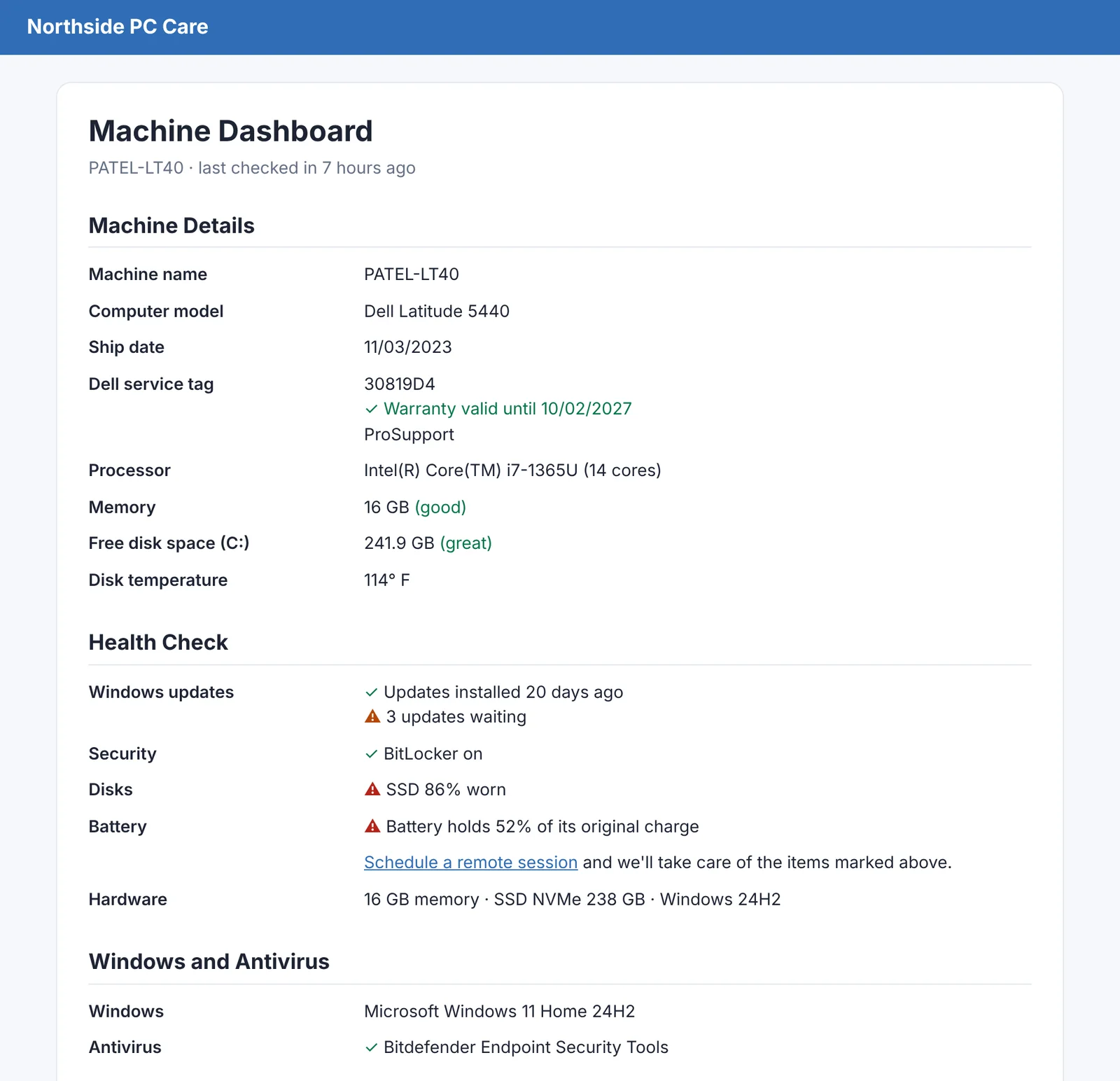
From the alert to their desktop in one click.
The agent sets up RustDesk on every PC and keeps an unattended password that changes on its own. Click Connect on a machine and you're on it.
- No separate remote tool, and no per-technician fees
- Passwords stored encrypted and never read out over the phone
- Every connection recorded in your audit log
- Works from your phone too: tap Connect and RustDesk opens on that PC
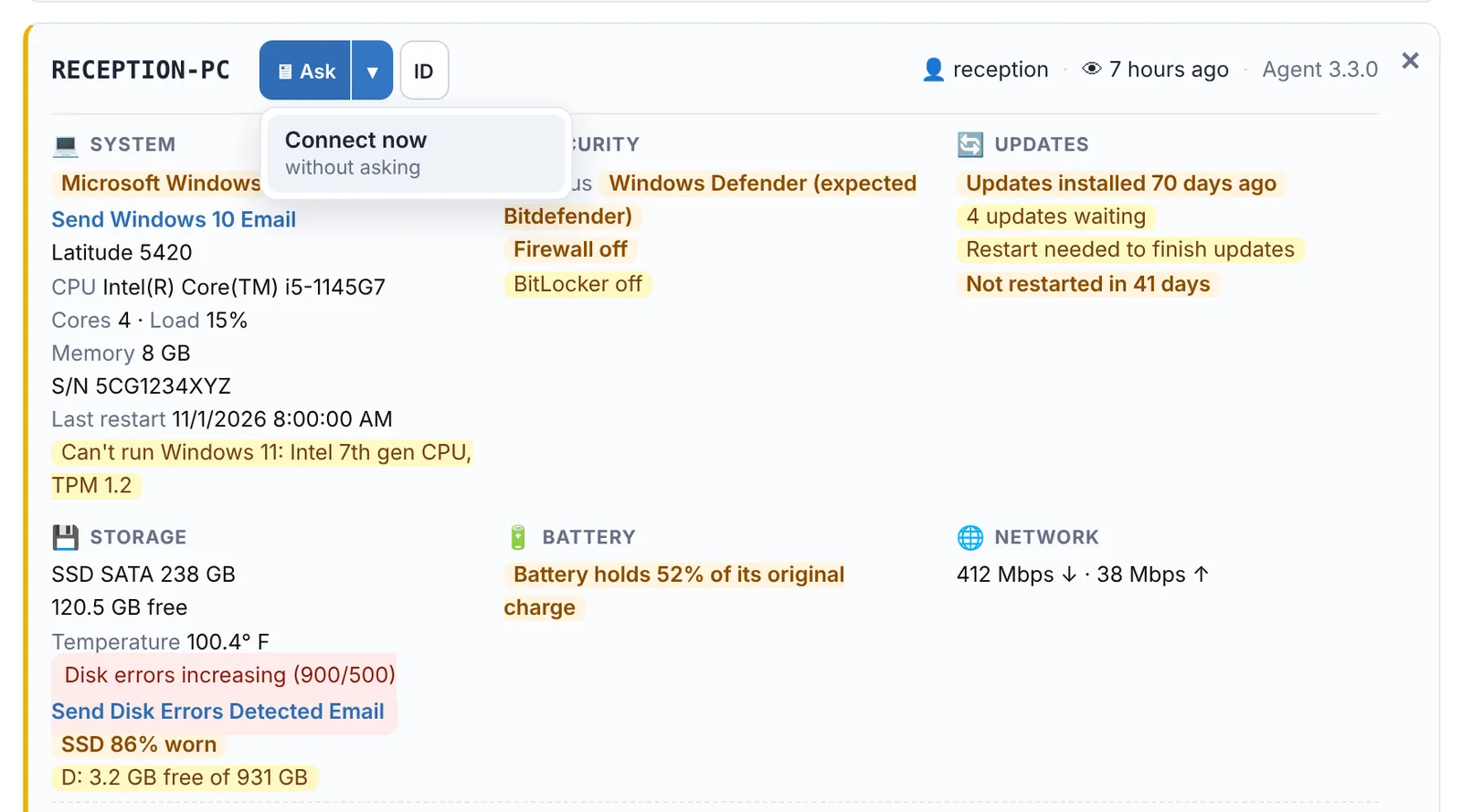
Monitoring, alerts and remote access in one place.
Free for 14 days. No credit card needed to start.
Backups you sell, tracked. Problems you'd miss, emailed.
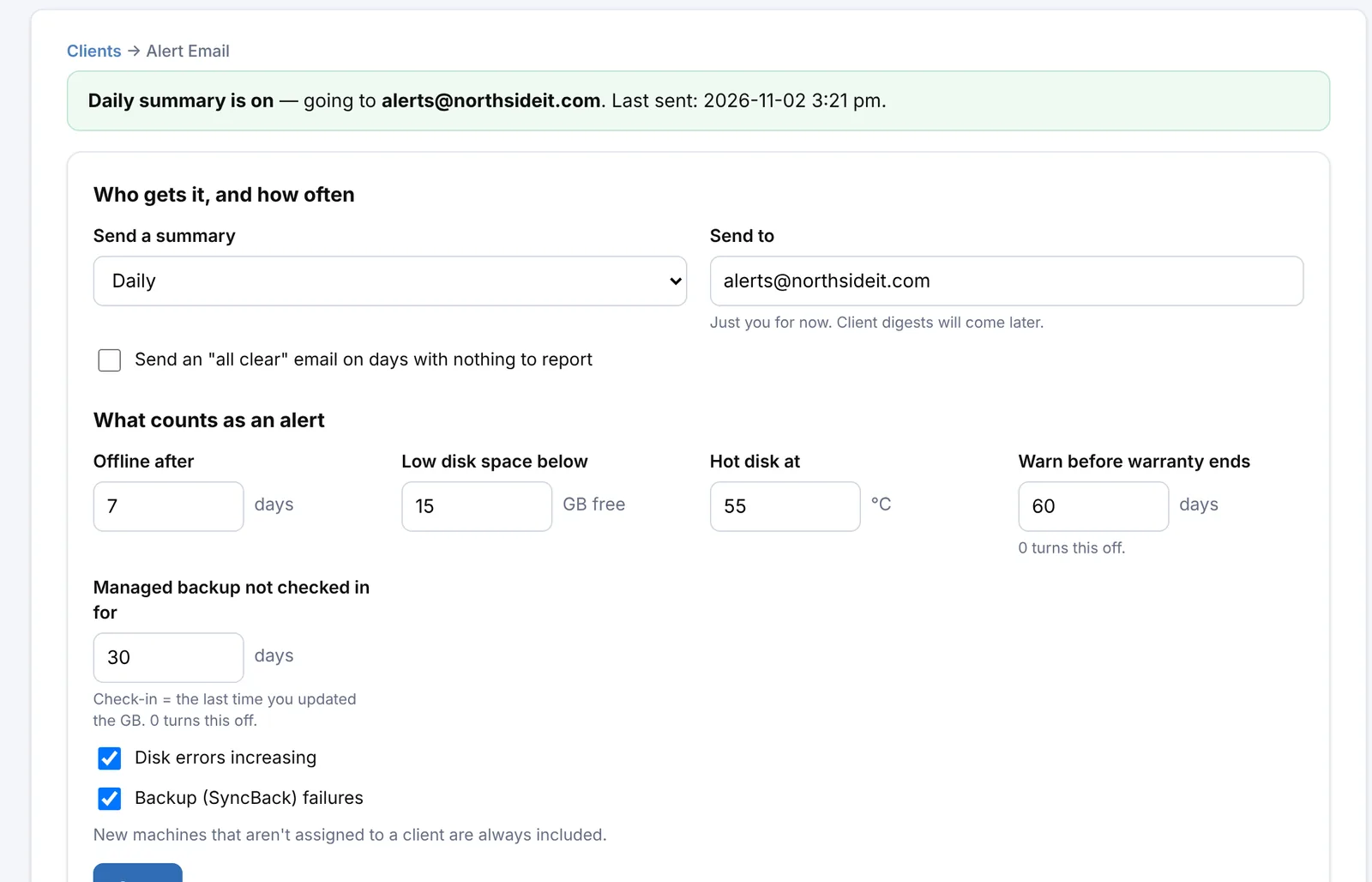
Set each machine's backup plan and size right from the Alert Center, and get a single summary in your inbox every morning.
- Backup levels you name yourself (Basic, Premium, Ultra…) with GB per machine and per client
- A reminder when a managed backup hasn't been checked in for too long
- Daily summary of new machines, offline computers, low disk, disk errors, failed backups and warranties
- One-click client emails (low disk space, disk errors, failed backups) sent under your own business name
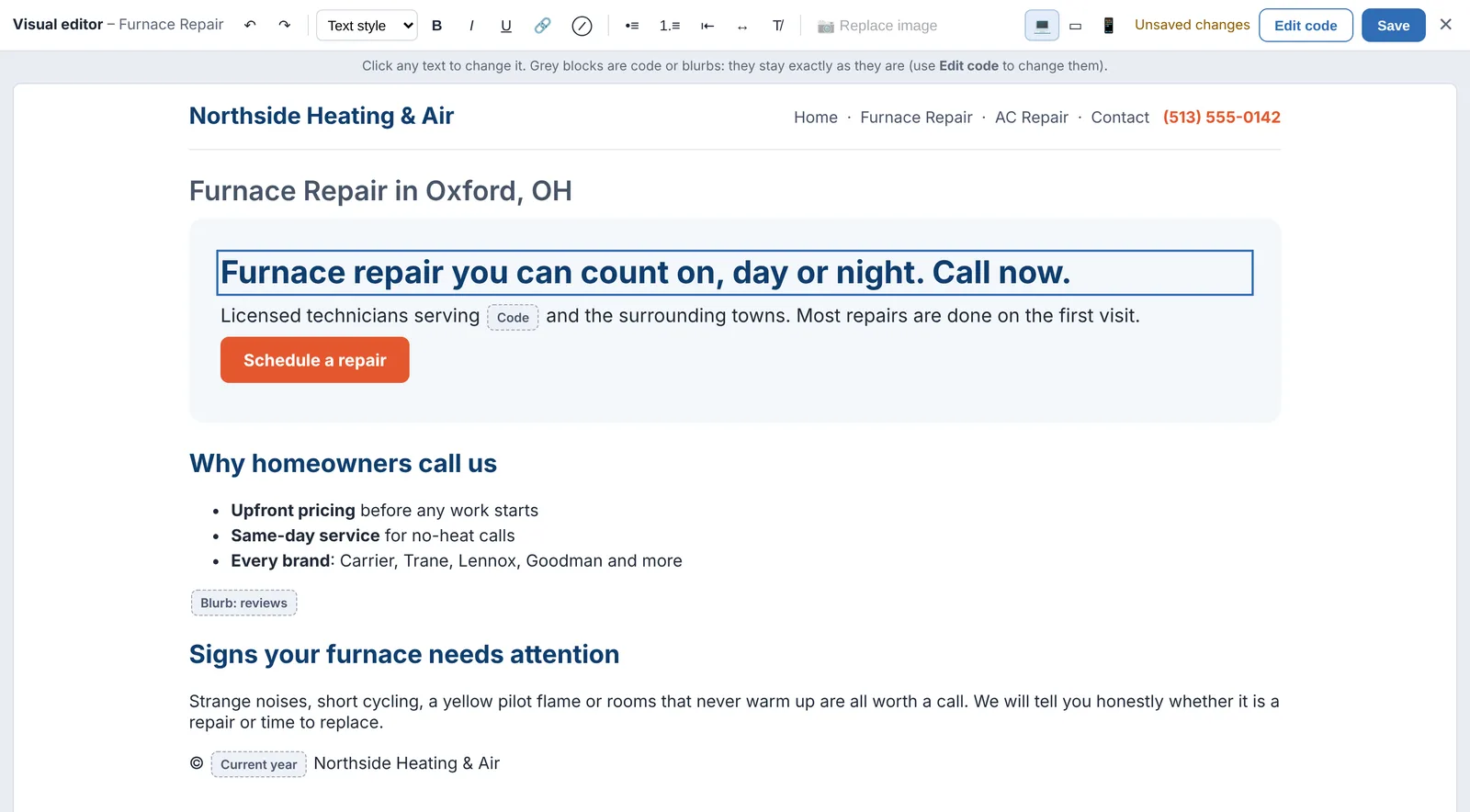
Build and host your clients' websites on their own domains.
Add a website in one form. The site is created from a ready-made template with the business's details filled in, and the domain is connected to hosting with a secure (https) certificate once its DNS points at the server.
- Edit pages visually, right on the page: click the text and type, or switch to the code
- Visitor analytics built in for every site
- Pages, menus, colors, fonts, file uploads and SEO titles in one editor
- Clear DNS instructions with a live check, so you know exactly when it's working
- Unpublished pages stay private: previews only open for you while you're signed in
- Safe by design: page content can't run code on the server
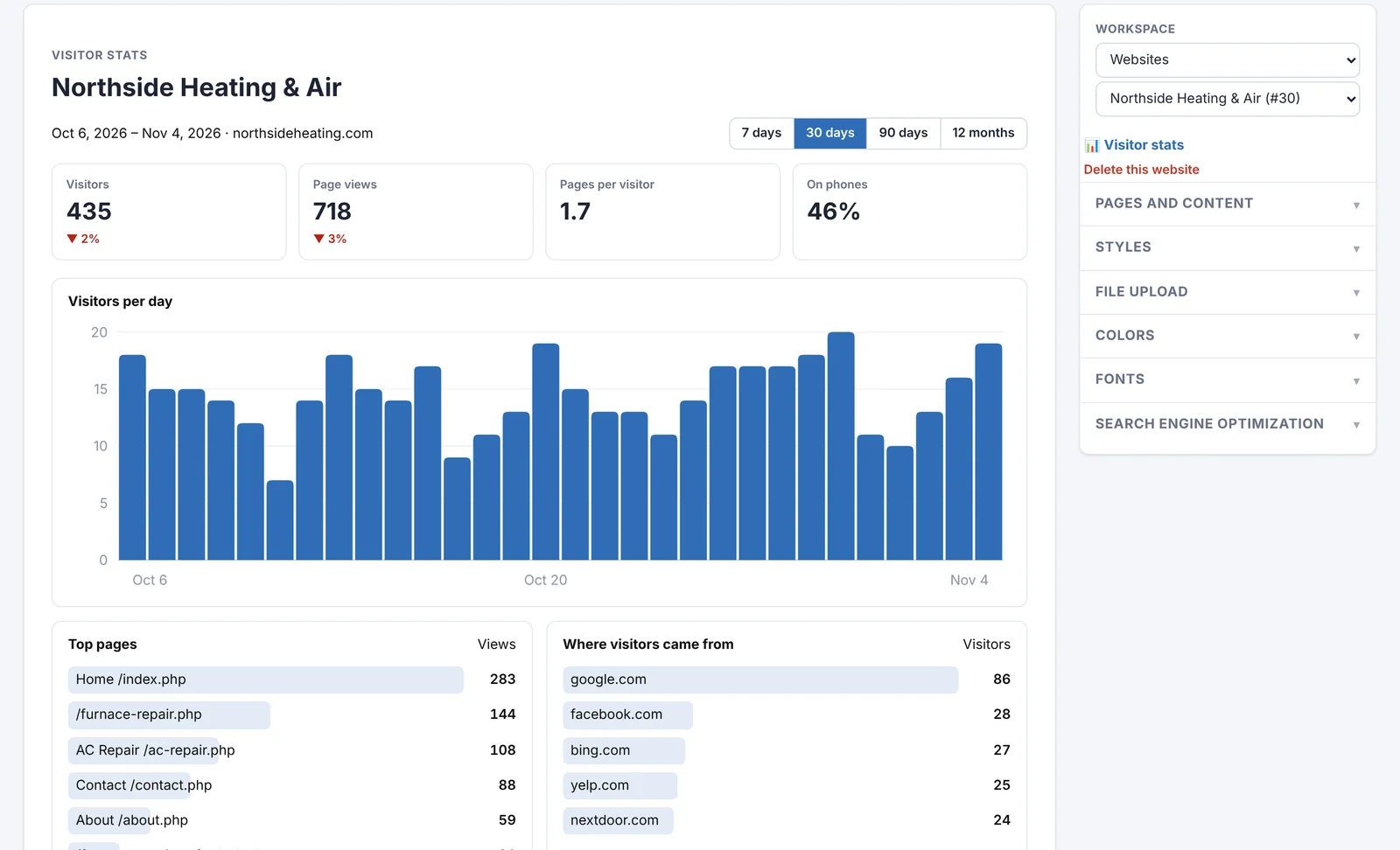
See who visits every site, without another analytics account.
Every website you host counts its visitors from day one. Add one line of code to any other site, your own company's included, and it's counted the same way.
- Visitors, page views, phones vs. computers, and the trend against last month
- Top pages and where visitors came from: Google, Facebook, Yelp and the rest
- Your top websites ranked the moment you open the website editor
- No cookies, nothing personal stored; bots and your own visits left out
Build your clients' websites in the same place.
Free for 14 days. No credit card needed to start.
What would you save?
Most IT businesses pay for an RMM tool per technician and a website builder per site. Put in your numbers.
Their prices are list prices from each vendor's public pricing page, checked November 2026, at their cheaper annual-billing rates: Atera Pro $129 per technician a month, billed annually; unlimited devices; Windows only on this plan; remote access through Splashtop; Syncro Core $129 per technician a month, billed annually; unlimited endpoints; remote access through Splashtop; Duda Agency $52 a month billed annually, 4 sites included, then $168 a year ($14 a month) per extra site. Ours are our month-to-month prices. Prices change, discounts and add-ons vary, and features differ between products, so check each vendor before you decide. Product names are trademarks of their owners.
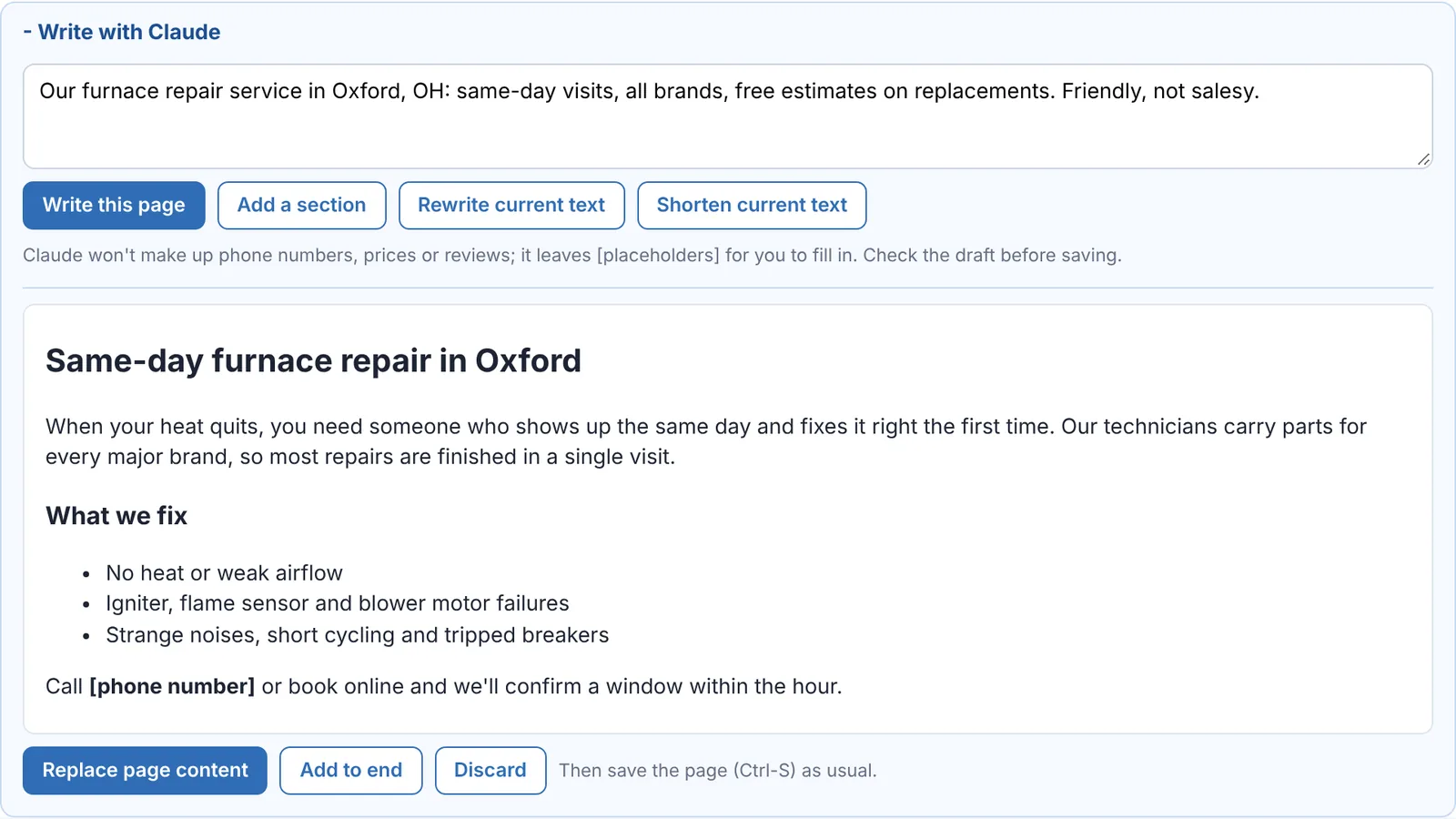
A first draft of any page in seconds.
Describe the page in a sentence and Claude writes it, using the business name and page title. Nothing changes until you choose to use the draft.
- Write a page, add a section, rewrite or shorten what's there
- SEO descriptions suggested from the page itself
- Never invents phone numbers, prices or reviews; it leaves [placeholders] for you to fill in
- Included drafts each month, or connect your own Claude key with no limit
Yours, and only yours
Every workspace is its own private space on our servers. You run your business; we keep it running.
Your own database
Each workspace gets a separate, private database. Your clients and their computers are never mixed with anyone else's.
Your brand
Your business name, colors and email signature on the workspace and on every email your clients receive.
Settings that fit
Turn modules on or off, choose alert thresholds, time zone, date format and more, all from one Settings page.
Client records
Contacts, companies, addresses and plans, plus every machine with its model, service tag, warranty and last check-in.
Secure by default
Passwords and keys are stored encrypted, sign-ins are protected against guessing, and website previews stay private.
Nothing to install
It runs in your browser on any computer, phone or tablet, and updates arrive without you lifting a finger.
Up and running in a couple of minutes
Create your account
Sign up with your email and confirm it. Your 14-day free trial starts right away.
Name your workspace
We set up your private database instantly. There's nothing to configure on a server.
Make it yours
Pick your colors, alert thresholds and the name clients see on emails, then add your first clients.
Try it with your own clients.
14 days free. No credit card needed to start.