Find out why your clients' email lands in spam.
DMARC reports show every server sending mail as your clients' domains, and which ones fail SPF and DKIM. We turn the XML into plain answers: who's sending, what's broken, and what to fix. Then send the client a report they'll actually understand.
How it works
No new mailbox service, no per-domain fees.
Point the reports at you
Add a reporting address to each client domain's DMARC record. Google, Microsoft and the rest send a report there every day.
Add them here
Upload the files from the report emails, as many at once as you like. Ones already added are skipped.
Fix what's failing
Every failing sender is listed with who it is, what failed and what to change, and the client gets a clear report from you.
Who's sending, what failed, and what to change.
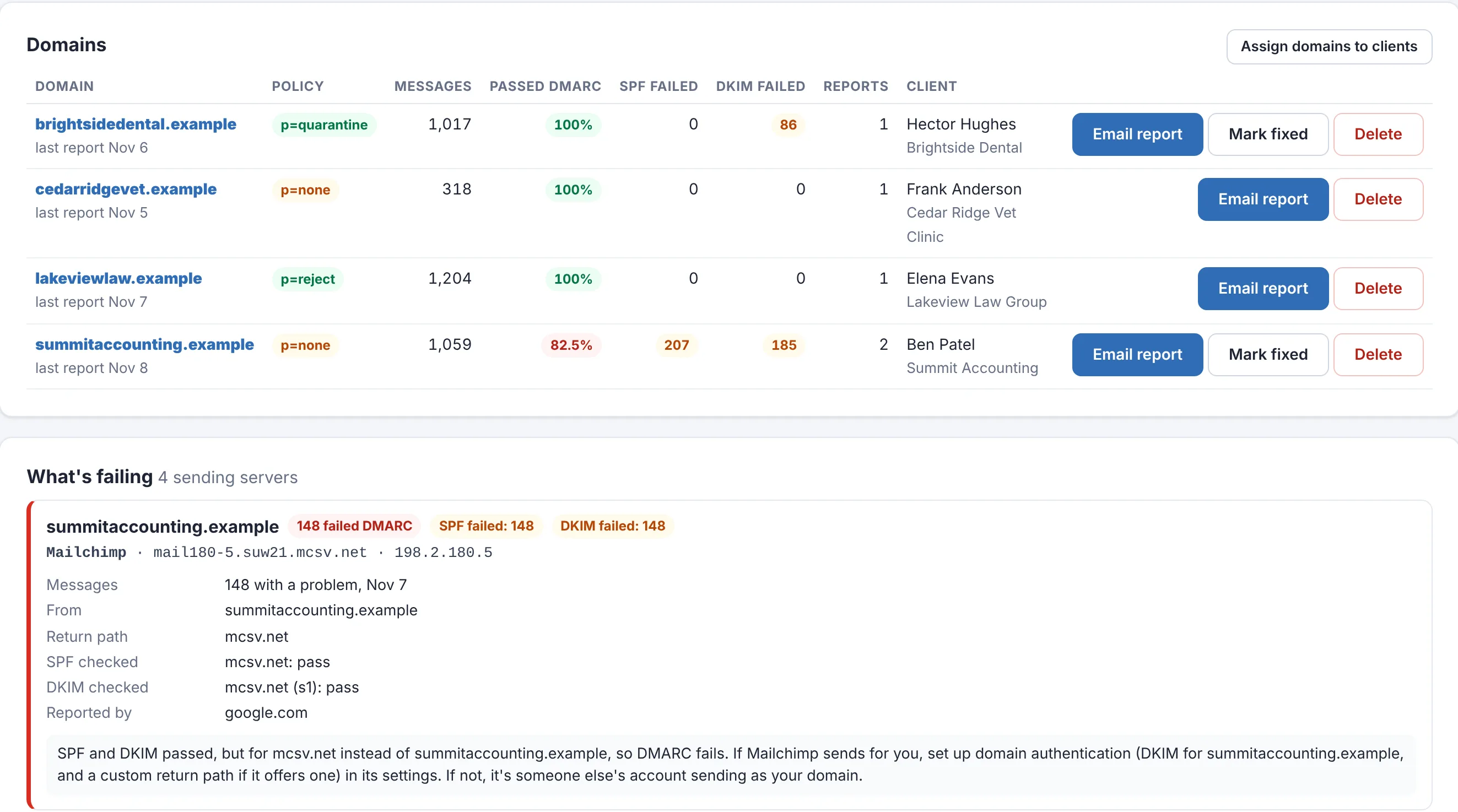
Every domain gets a summary: its DMARC policy, how many messages were checked, how many passed, and how many failed SPF or DKIM. Below that, each sending server with a problem has its own card.
- Senders named for you: Microsoft 365, Google Workspace, Mailchimp, SendGrid, Amazon SES, HubSpot, QuickBooks and 20 more, from the server's host name
- A plain-English reason and the fix, like "set up domain authentication in Mailchimp" or "add it to the SPF record"
- Real failures first, then the minor ones, like forwarded mail that fails SPF but still passes
- Unknown servers sending as your client are flagged as possible spoofing
- Look at the last 7, 30 or 90 days, or 12 months, for all domains or one
Problems come to you.
New DMARC failures from the last week show up in the Alert Center's Needs attention list and in your morning alert email, next to everything else that needs a look.
- Grouped by domain and sending server, so 500 failed messages from one newsletter is one line, not 500
- A reminder when no new reports have come in for a few days (you choose how many), so a broken report address doesn't go unnoticed
- Mark fixed once you've sorted a domain out: it leaves the alerts right away, the history stays, and anything that fails after the fix alerts again New
- Switch DMARC reports off any time; reports already added are kept
An email health report your client will actually read.
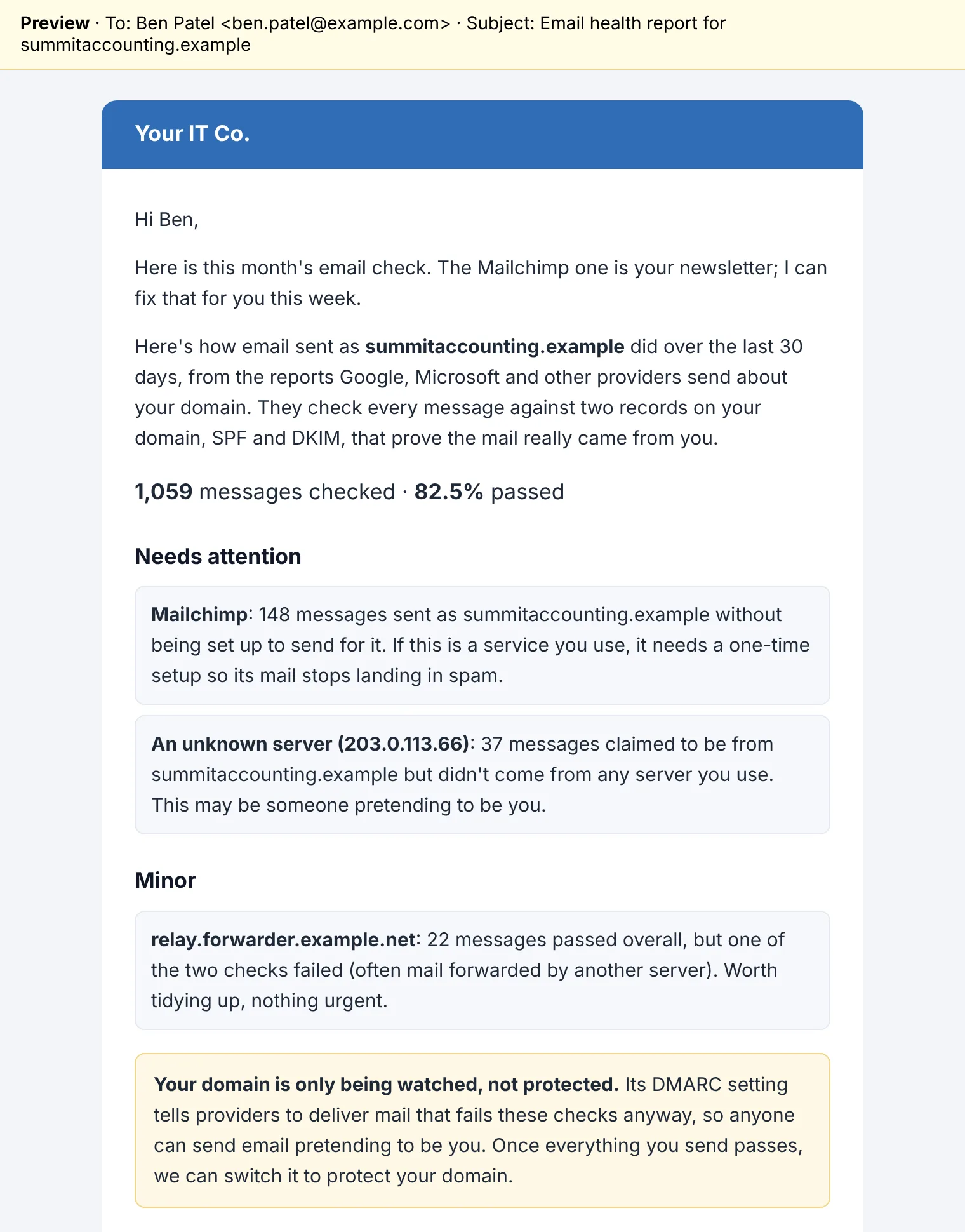
Click Email report on a domain and its client gets a short, plain-language summary from you, in your brand's email with your signature and a button to book time with you.
- How many messages were checked and how many passed
- Each problem in everyday words: "Mailchimp sent 148 messages as your domain without being set up for it"
- A warning when the domain is only being watched, not protected, so spoofing still gets through
- Add your own note at the top, choose the period, and preview before it goes
Each domain belongs to a client.
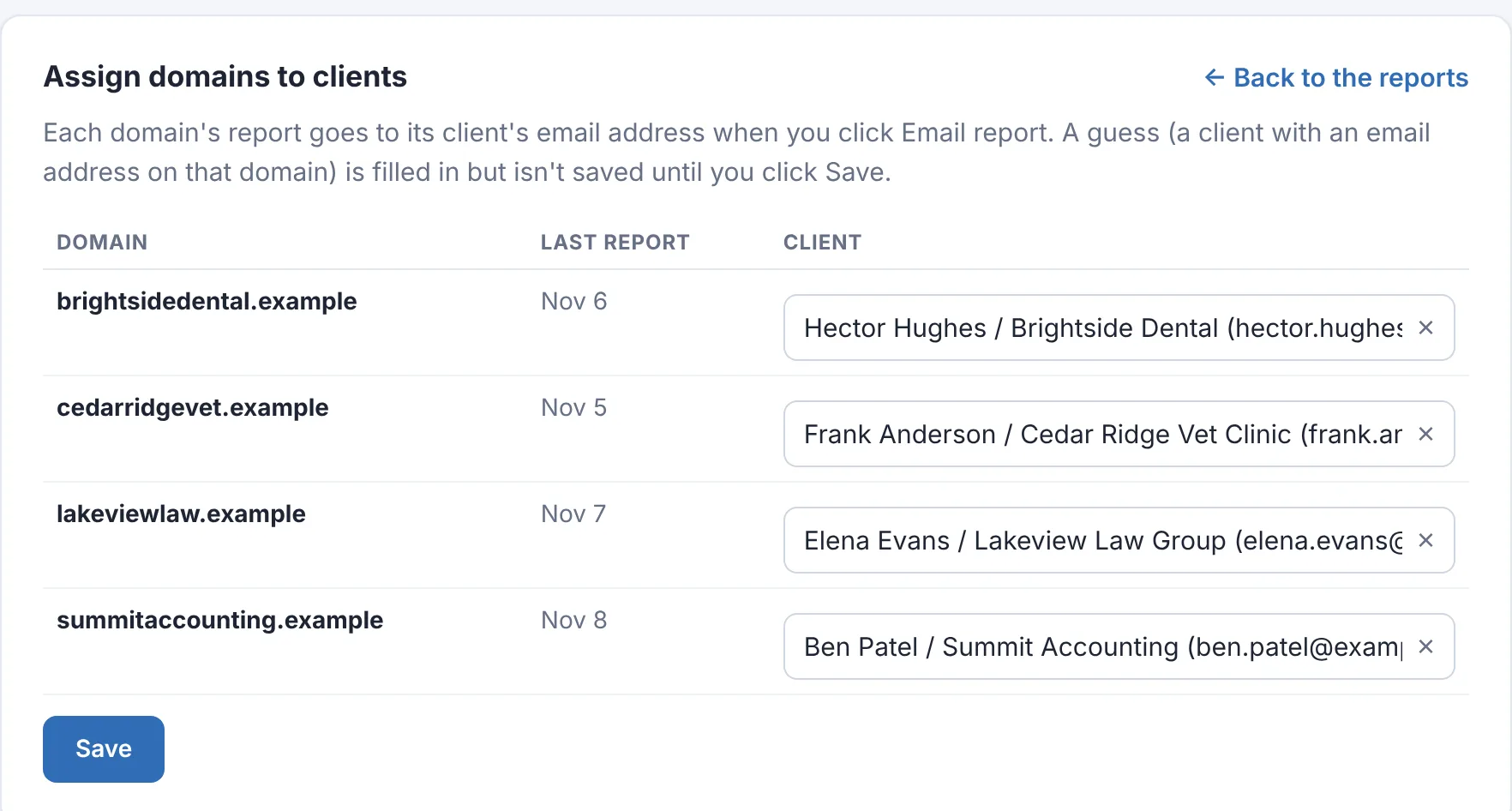
Assign every domain to its client once: type part of a name, company or email address to find them. Reports go straight to that client's email address, with no picking each time. A client with an email address on the domain is suggested for you.
- The client shows next to each domain, with a count of domains still to assign
- A client with no email address on file is flagged before you try to send
- The last time each domain's report was emailed, and to whom
Stop guessing why email goes to spam.
Free for 14 days. No credit card needed to start.
Included
Part of every workspace, for as many domains as you look after. No per-domain or per-message pricing.
Safe to open
Report files are read with outside references switched off, so a booby-trapped file can't pull anything from your server.
Any domain
Works with any mail provider and DNS host: Microsoft 365, Google Workspace or anything else. All it needs is the reports.
Questions
What is a DMARC report?
When a domain's DMARC record has a reporting address (rua=mailto:…), Google, Microsoft, Yahoo and other providers send a daily file to that address listing every server that sent mail as the domain, how many messages, and whether each passed SPF and DKIM. They're XML files, usually zipped, and nearly unreadable on their own. That's the part we do for you.
How do the reports get in?
Upload the .xml, .xml.gz or .zip files from the report emails on the DMARC reports page. Several at once is fine, and ones already added are skipped.
Do I need a separate DMARC service?
Not for watching your clients' domains and explaining the results. Point each domain's rua address at a mailbox you control, add the reports here, and you'll see every sender that fails, with a plain-English reason and what to change.
What do my clients see?
Nothing until you send it. Assign each domain to its client once, then Email report sends a plain-language summary to that client's email address, in your brand's email with your signature: how many messages passed, which services need setting up, anything that looks like spoofing, and whether the domain is protected yet. Preview it first and add a note of your own at the top.
What happens after I fix a domain?
Click Mark fixed on it. Its failures so far leave the Alert Center and your alert email right away, and stay in the history marked fixed, so a later report to the client can show what was fixed. If anything fails after that, it alerts again and the domain shows "failing again". Delete is still there for domains you no longer look after.
What does it cost?
It's included in every workspace. No per-domain or per-message charges.
Turn the XML into answers.
Start a free 14-day trial. No credit card needed to start.