A client portal that shows the work you do.
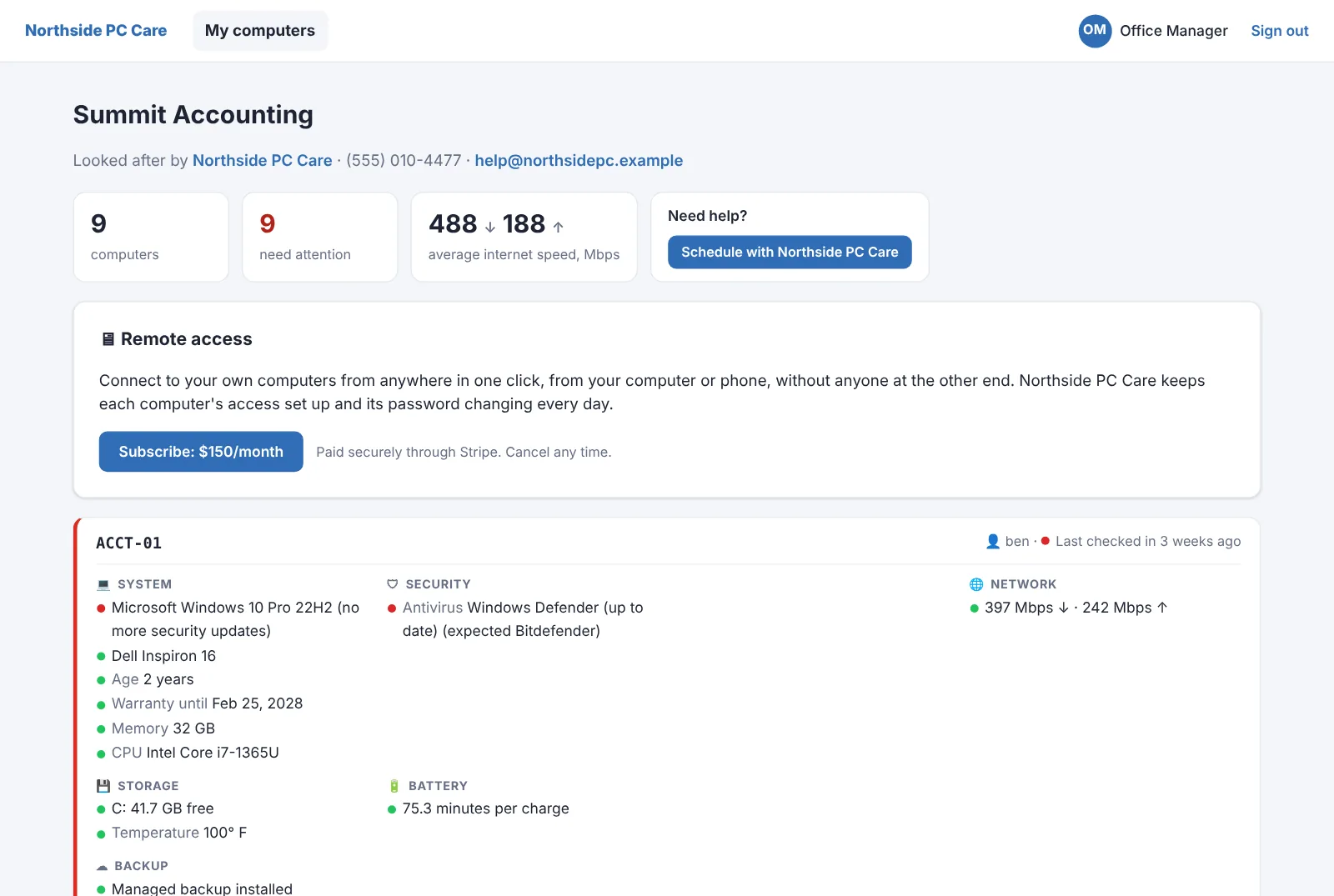
Most clients only notice IT when something breaks. With SilverTech Master System's client portal, the people you invite see their own computers' health checks, under your name and logo, so the quiet months show up as value instead of a question about the invoice.
What your clients see
Their computers
Each of their PCs and Macs with the same health checks you see: updates, antivirus, disk, battery and more.
What needs attention
How many computers need attention right now, in plain words.
Their internet
Average internet speed, ping and jitter across their office, measured by the agent.
Your contact details
Your phone, email, website and a Schedule button, from the brand they buy from.
Remote access to their own PCs
Sell clients remote access to their own computers by subscription, paid straight into your Stripe account.
Nothing else
They see their own computers and nothing from any other client or your workspace.
Your name, your logo, your colors.
Invite anyone at a client from their client page. They choose a password and land on a dashboard in your brand. Run more than one brand? Each client sees the one they buy from.
- Resend an invitation, switch remote access on or off, or remove someone from the same box
- Add View Client Dashboard to the tray menu of the computers you choose, like the office manager's
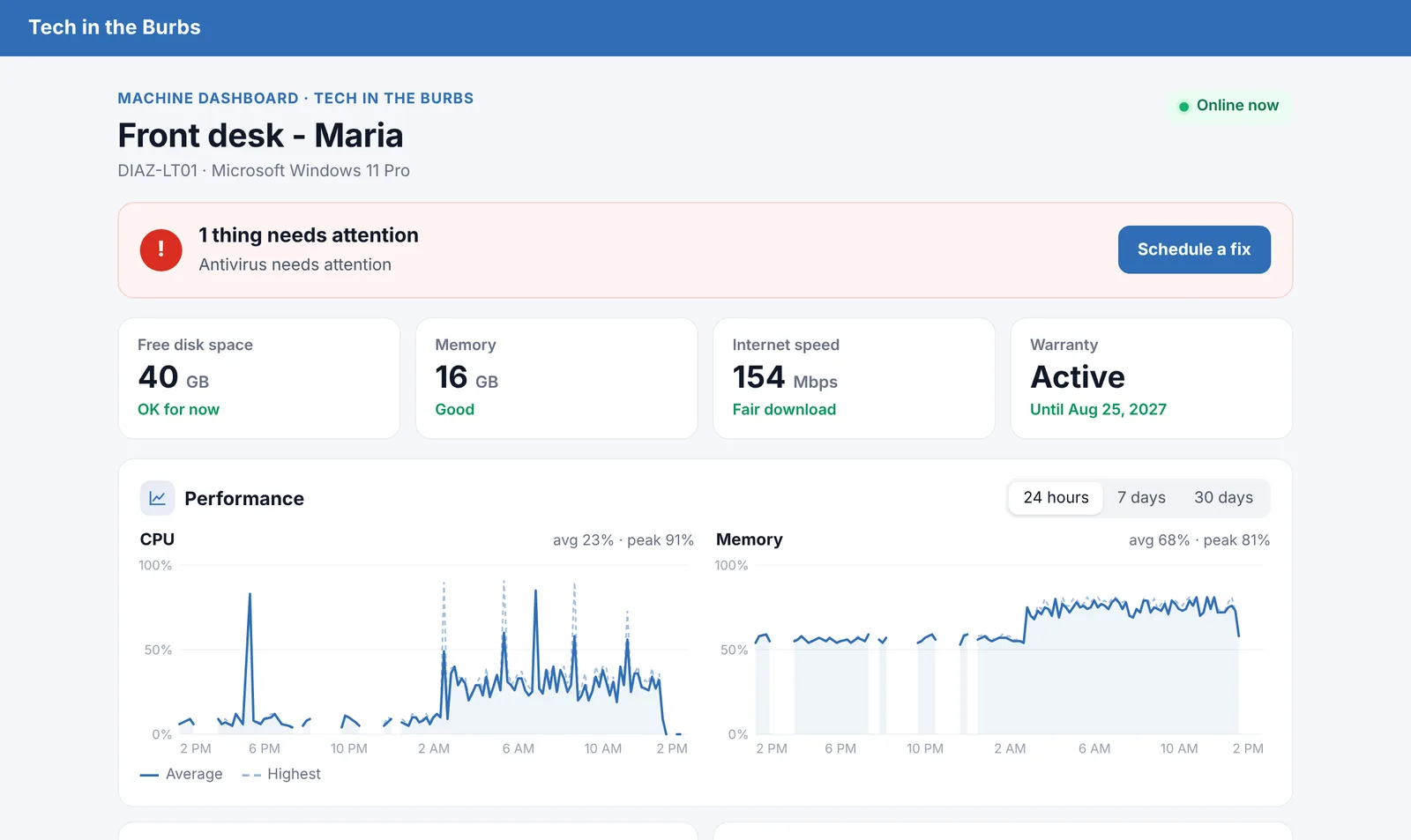
- A machine dashboard for any single computer, on your own website
No separate portal product to keep in sync.
The portal reads the same data as your Alert Center, so it's always current. When the agent reports a fix, the client sees the green dot too.
- Billing self-service: clients update their card and see receipts, and only you can cancel
- A Machine Dashboard for any single computer, with a Schedule a fix button
- Each client's email health report (DMARC), sent in your brand
Invite your best client to their portal this week.
Free for 14 days. No credit card needed to start.
Questions
Is the portal white-label?
Yes. It shows your brand's name, logo and contact details. Clients don't see SilverTech Master System branding in their dashboard.
Can clients open tickets in it?
No, there's no ticketing. The Schedule button and your contact details take them to the way you already handle requests.
Does it cost extra?
No. The client portal is part of every workspace. Remote access for clients is an optional subscription you sell them through your own Stripe account.
Can clients change anything?
They can update their payment card and see receipts. They can't change settings, see other clients or cancel subscriptions.
Let clients see the work they're paying for.
Free for 14 days. No credit card needed to start.