From the alert to their desktop in one click.
See a PC that needs you, click Connect, and you're on it. No separate remote tool to buy, no IDs to hunt for, and no client reading a password to you over the phone.
How it works
Remote access rides on the PC health agent you already have on every machine.
Switch it on
Turn on remote access in Settings. At each PC's next check-in, the agent installs RustDesk and connects it to our private server.
Set up your computer once
Install RustDesk on the computer you work from, and on your phone if you like, and paste in two settings we show you. That's the whole setup.
Click Connect
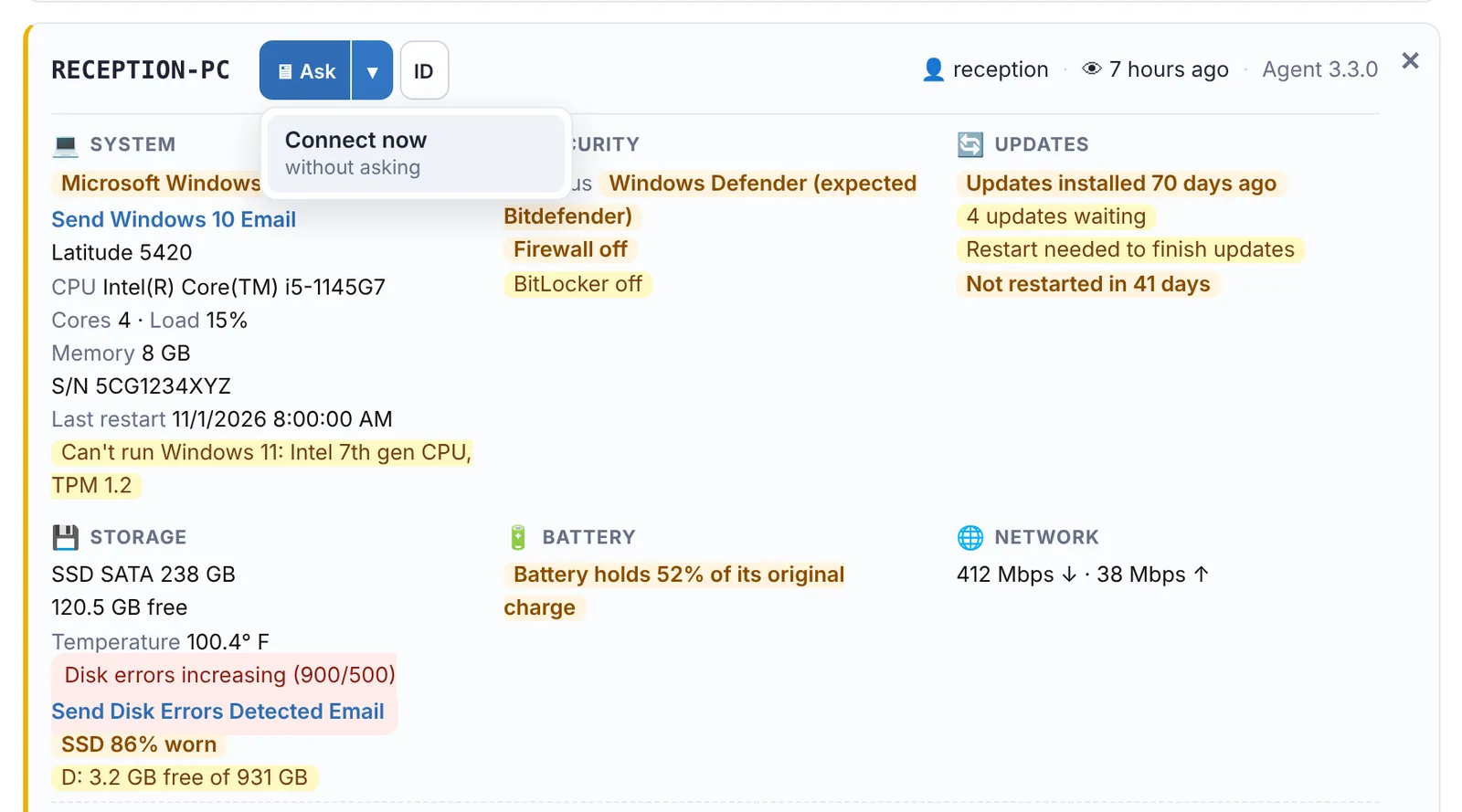
Connect on any machine opens RustDesk straight to that PC with its password filled in. Nobody has to be there to let you in.
Every PC ready to connect, without touching any of them.
The agent installs RustDesk, points it at our server and keeps it working. When a PC is replaced, the new one sets itself up the same way.
- An unattended password on every PC that changes on its own every day
- Passwords stored encrypted, and only shown to you inside your workspace
- Connect from the Alert Center, or use ID to see the ID and current password
- Out of the way: no RustDesk shortcut on the desktop, and its tray icon is hidden unless you want it shown
- Ask first or connect straight away, per client: the person at the PC can click Accept, and if nobody answers you can still get in
- Turn it off and RustDesk is removed from the PCs at their next check-in
You always know who connected, and when.
Every Connect and every password lookup is recorded in your workspace's audit log, with who did it and which machine.
- Only people with full access to your workspace can connect
- Connections go through our private RustDesk server, not a public one
Fix a client's PC from your phone.
Out on a job when an alert comes in? Open the Alert Center on your phone and tap Ask or Connect on the machine. The RustDesk app opens straight to that PC, and you're on in seconds, with no codes to copy. You see their screen and use it like you were sitting at the desk.
- RustDesk for iPhone, iPad and Android, free from the App Store and rustdesk.com
- The same two server settings as your computer, entered once
- One tap from the alert to their screen: the same Ask and Connect buttons as on your computer
- Still recorded in the audit log, like every connection
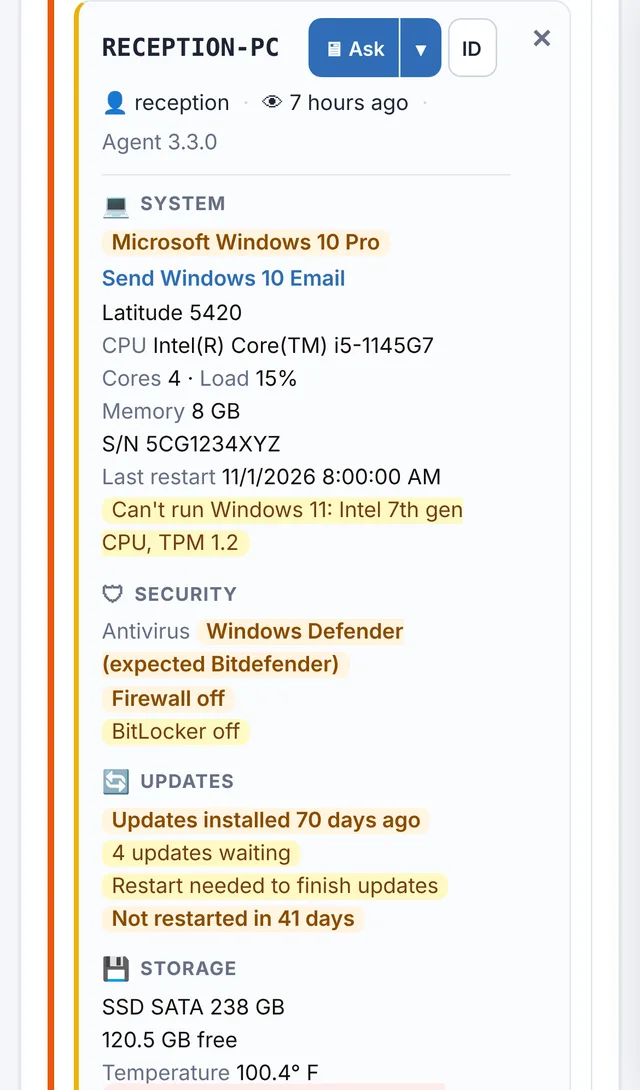
One click from the alert to their desktop.
Free for 14 days. No credit card needed to start.
Priced by the number of PCs
Add more from your Billing page whenever you need them, and change or cancel any time.
No per-technician fees
Everyone with full access to your workspace can connect. You pay by the number of PCs, not by the number of people.
One less tool
Monitoring, alerts and remote access in the same place, so a problem and the fix are one click apart.
Windows PCs
Works with the Windows 10 and 11 PCs running the PC health agent. RustDesk on your side runs on Windows, Mac, Linux, iPhone and Android.
Stop paying for a separate remote tool.
Start a free 14-day trial. No credit card needed to start.