Replace the failing drive before it takes the client's files with it.
Drives rarely die without warning: errors creep up, SSDs wear out, temperatures climb. SilverTech Master System's agent watches every drive on every Windows PC and Mac and tells you while there's still time to copy the data off, then sends the client a plain-English email about it under your name.
What it watches on every drive
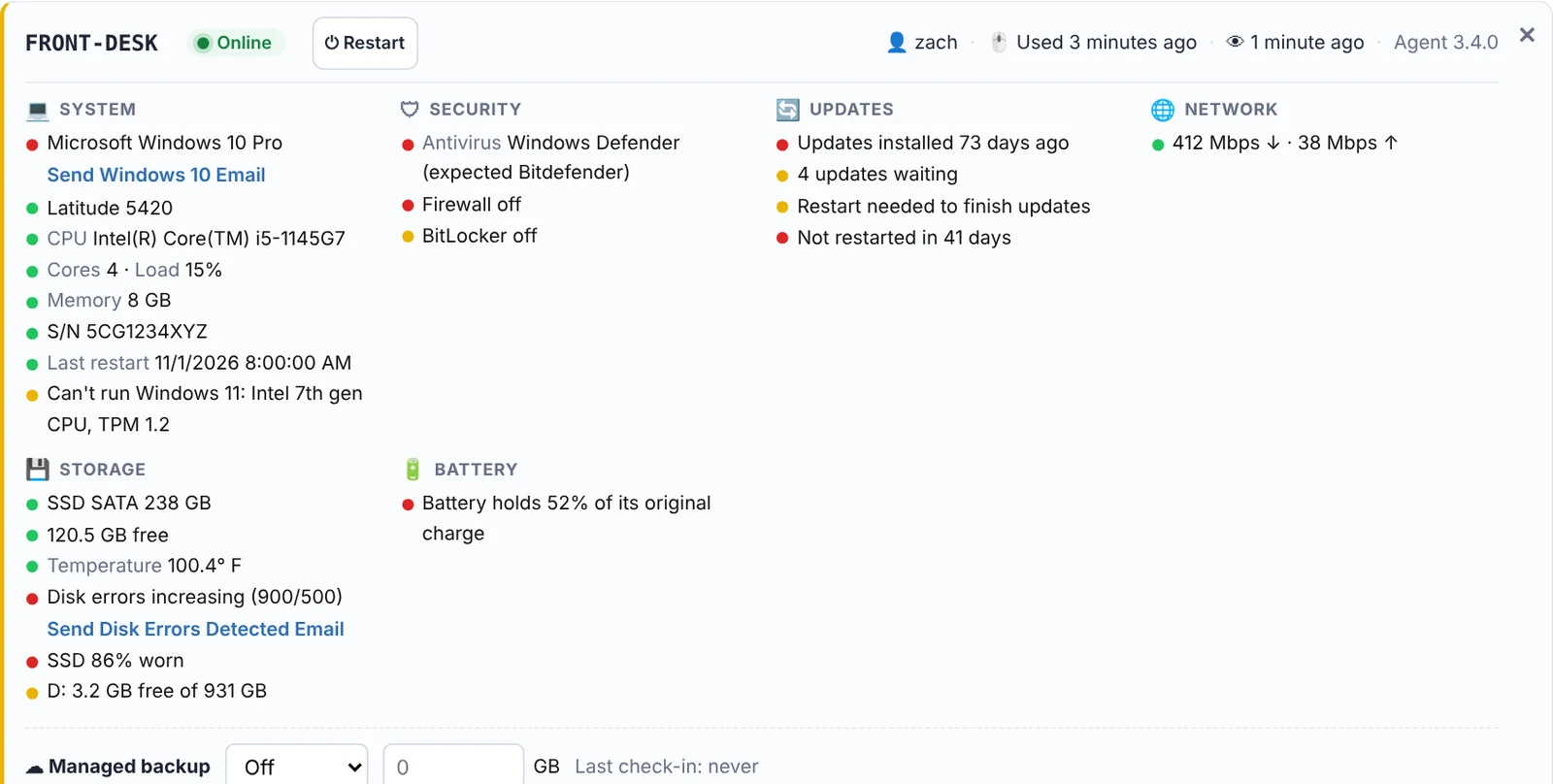
Drive health
The health status each drive reports about itself, flagged the moment it changes.
SSD wear
How much of an SSD's rated life is used up, so you replace it on your schedule.
Disk errors
Error counts, with a Disk errors increasing alert when the count goes up between reports.
Temperature
Drive temperature, with a threshold you choose.
Free space
Free space on every drive, with a low disk space alert below the GB you set. More →
After the swap
One click clears the old error count after you replace a drive, so the alert doesn't follow the new one.
A short list of drives that need you.
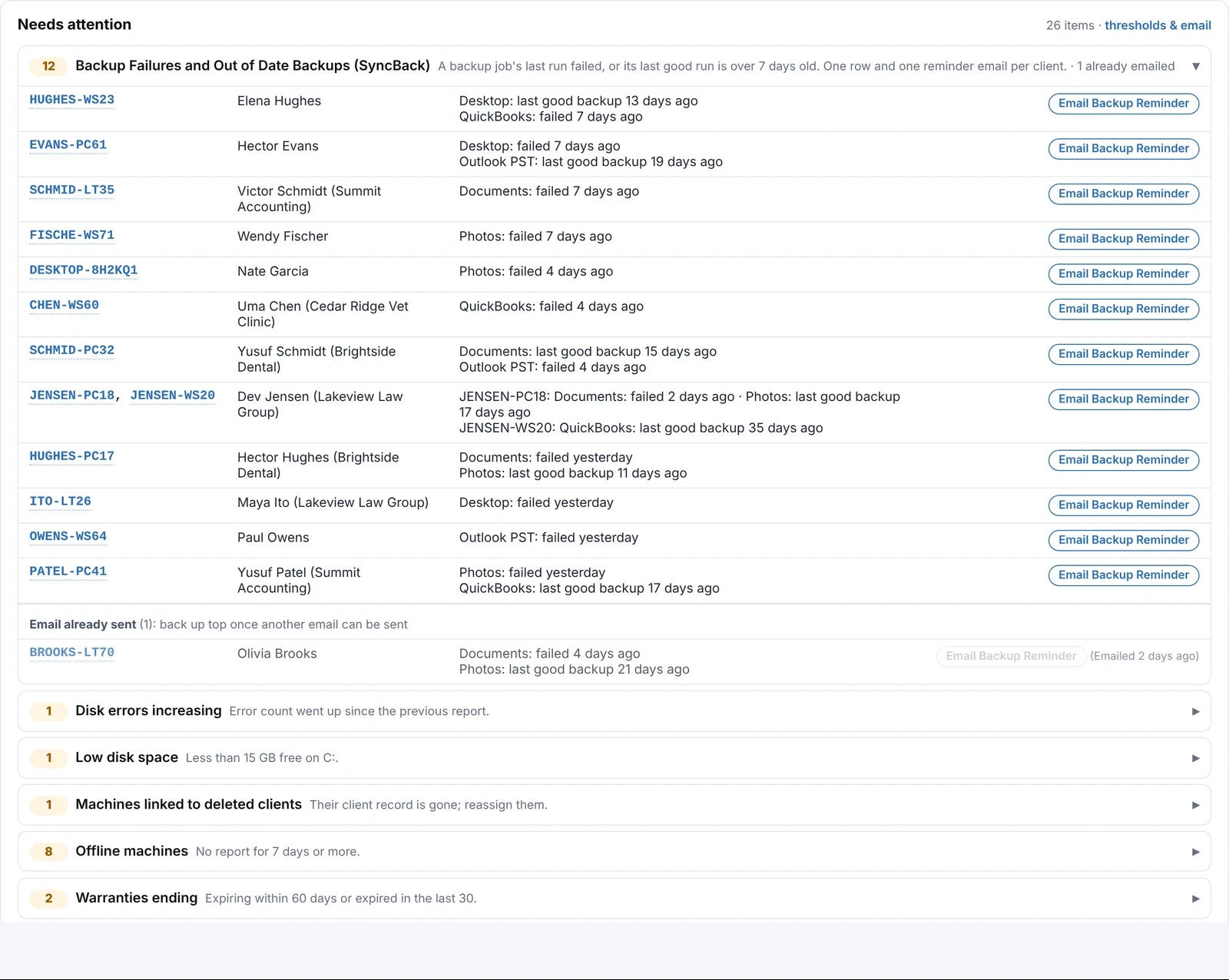
Failing drives, worn SSDs and rising error counts show in Needs attention and in your morning email, sorted A to Z by problem with counts of what you haven't emailed about yet. Click a row to jump to the computer.
- Send the disk errors email to the client from the same row
- Low disk space emails go out per computer, about that computer only
- Free up disk space automatically with a built-in task, or a script that runs the moment the alert appears
Know the data is safe before the drive goes.
PCs where your managed backup (Syncthing) isn't running or has no backup level set are flagged, and a failed or overdue backup is an alert of its own.
- Backup levels you name and sell, with GB per machine and per client
- A flag when a backup grows past its level
See the health of every drive you look after this week.
Free for 14 days. No credit card needed to start.
Questions
How does it know a drive is failing?
The agent reads the health information each drive reports about itself (its SMART data and status), plus Windows' own disk error counts, and compares it with your thresholds.
Does it work on SSDs and NVMe drives?
Yes. SSDs also report how worn they are, which shows as a percentage on the computer's card.
What about Macs?
Macs report disk health and free space too, alongside battery health and the rest.
Can it email the client?
Yes. Disk errors, low disk space and backup emails are one click away, written the way you want in Settings and sent under your brand.
Related
No more "my computer just died" calls.
Free for 14 days. No credit card needed to start.