Which client PCs can run Windows 11, and which need replacing?
Microsoft ended support for Windows 10 in October 2025, so every Windows 10 PC you look after is now a conversation: upgrade it, or replace it. SilverTech Master System checks every PC for you and tells you which way it goes, then sends the client a clear email under your name.
The answer for every PC
Can it upgrade?
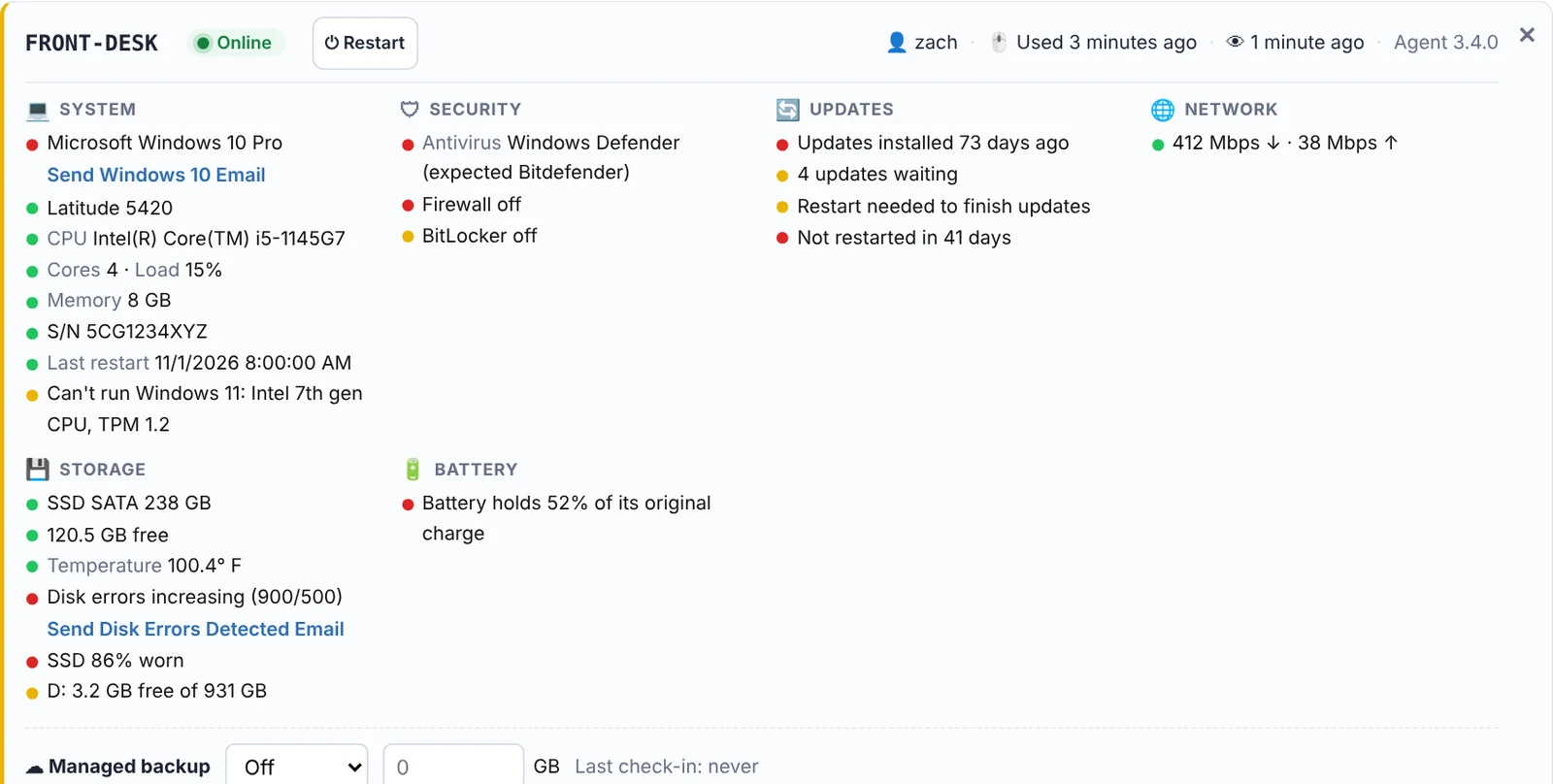
Every Windows 10 PC reports whether it meets Windows 11's requirements.
If not, why
TPM, Secure Boot or the processor: the reason is on the PC's card, so you know whether it's a setting or a replacement.
The whole fleet
Windows 10 PCs stand out on every card, and the Alert Center lists what needs you across all clients.
One-click client email
A ready-made Windows 10 email, in your brand and your words, from the PC's card or for every matching client at once.
Hardware at a glance
Model, processor, memory, disk and machine age, to quote the replacement on the spot. More →
Keep the rest patched
For PCs already on Windows 11, install waiting updates on your schedule and skip unplanned feature upgrades. More →
A list you can act on, client by client.
Open a client and see their computers with Windows version and readiness side by side. Upgradeable PCs go on the schedule, the rest go on a quote, and the client hears it from you before they hear it from a pop-up.
- Edit the Windows 10 email in Settings, with placeholders for the client's name and computers
- Send to every matching client after you review the list; recently emailed clients are skipped
- Each PC's nickname and last user, so the client knows which computer you mean
Find out which PCs can upgrade before your clients ask.
Free for 14 days. No credit card needed to start.
Questions
When did Windows 10 support end?
Microsoft ended free support for Windows 10 on October 14, 2025. After that, PCs still on Windows 10 stop getting security updates unless they're enrolled in Microsoft's Extended Security Updates (ESU).
What does Windows 11 need?
Mainly a TPM 2.0 chip, Secure Boot (UEFI) and a supported processor, plus at least 4 GB of memory and 64 GB of storage. SilverTech Master System checks these on each PC and shows which one is missing.
Can it upgrade the PCs for me?
It tells you which can upgrade and can run your upgrade script on a schedule, but it doesn't push the Windows 11 upgrade on its own; the built-in updates task deliberately skips Windows version upgrades so they only happen when you plan them.
Does it work for Macs too?
Yes, in its own way: Macs on a macOS version Apple no longer patches are flagged.
Related
Every Windows 10 PC, sorted into upgrade or replace.
Free for 14 days. No credit card needed to start.