Spot the problems before your clients notice them.
A small agent on each Windows PC checks the things that actually go wrong (updates, antivirus, failing disks, worn batteries) and reports to your workspace twice a day. Your brand sits in the client's taskbar, one click from calling you.
Install it the way you already work.
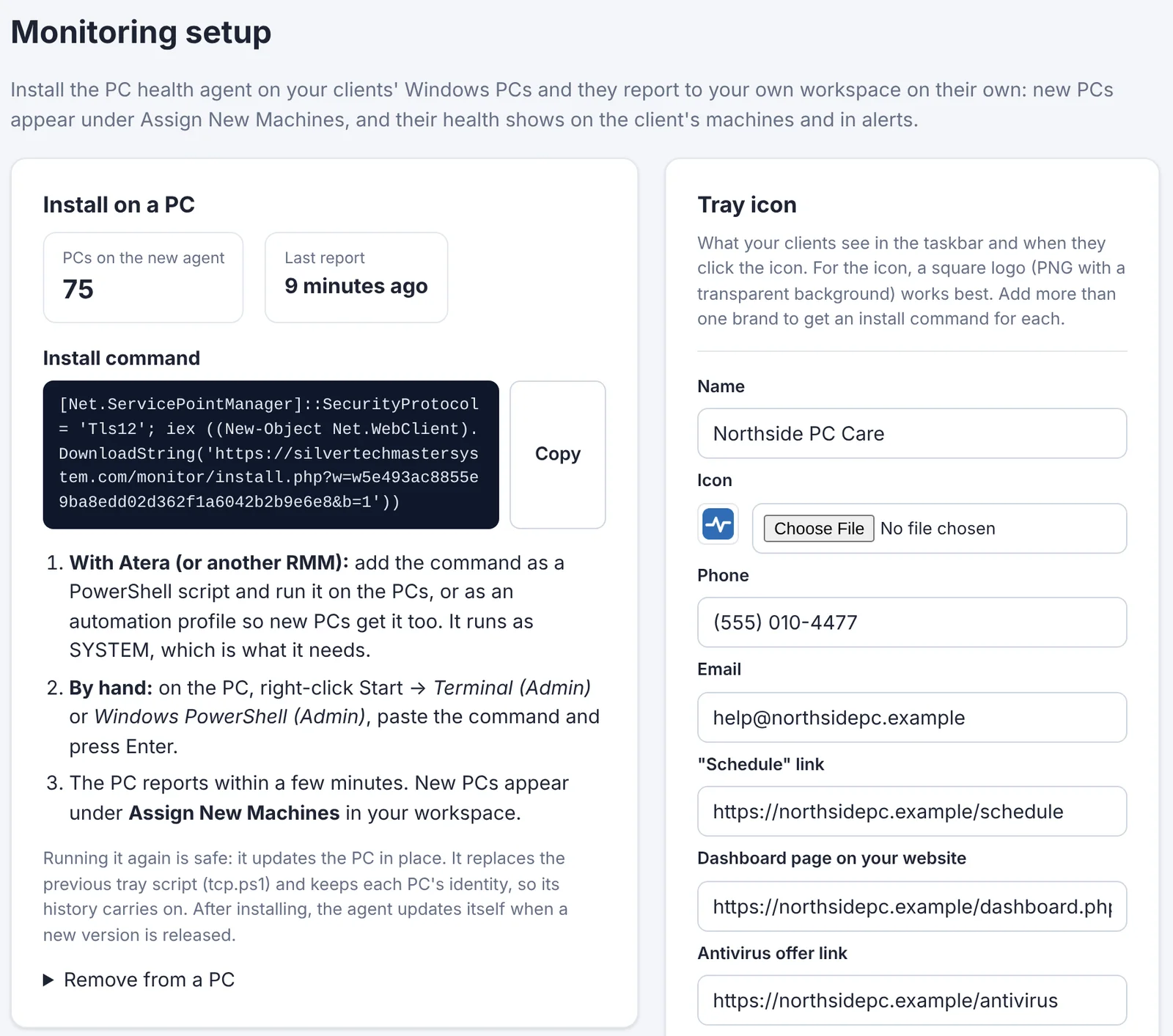
Copy the install command from your workspace and run it on a PC, or drop it into your RMM as a script and every new machine gets it automatically.
- Runs as SYSTEM in the background, whether or not anyone is signed in: every hour, every 12 hours or once a day, your choice, plus after every restart
- New PCs appear under Assign New Machines with a suggested client
- Updates itself when a new version comes out; nothing to redeploy
- Moving from an older script? Each PC keeps its identity and history
What it checks on every PC
Each check has a threshold you choose, and anything past it shows up in your Alert Center and your morning email.
Windows Update
When updates last installed, how many are waiting, and whether a restart is needed to finish them.
Antivirus
Any brand, not just one. Real-time protection, how old the virus definitions are, and whether it's the antivirus you expect.
Security
Firewall, BitLocker drive encryption and Windows activation, flagged the moment something is off.
Disk health
Drive health and SSD wear, free space on every drive, disk errors and temperature, so you replace a drive before it fails.
Battery
How much of its original charge a laptop battery still holds, with a warning when it's time for a new one.
Windows 11 readiness
For PCs still on Windows 10: whether they can upgrade, and if not, why (TPM, Secure Boot or CPU).
Hardware & uptime
Model, serial number, processor, memory, disk type and size, and how long since the last restart.
Managed backup
Every PC with Syncthing, your managed backup, listed in one place: whether it's running, and whether its backup level is set so it's billed.
Internet speed
A quick download and upload test once a week (skipped on battery), so "the internet is slow" comes with numbers.
Read a computer's health in five seconds.
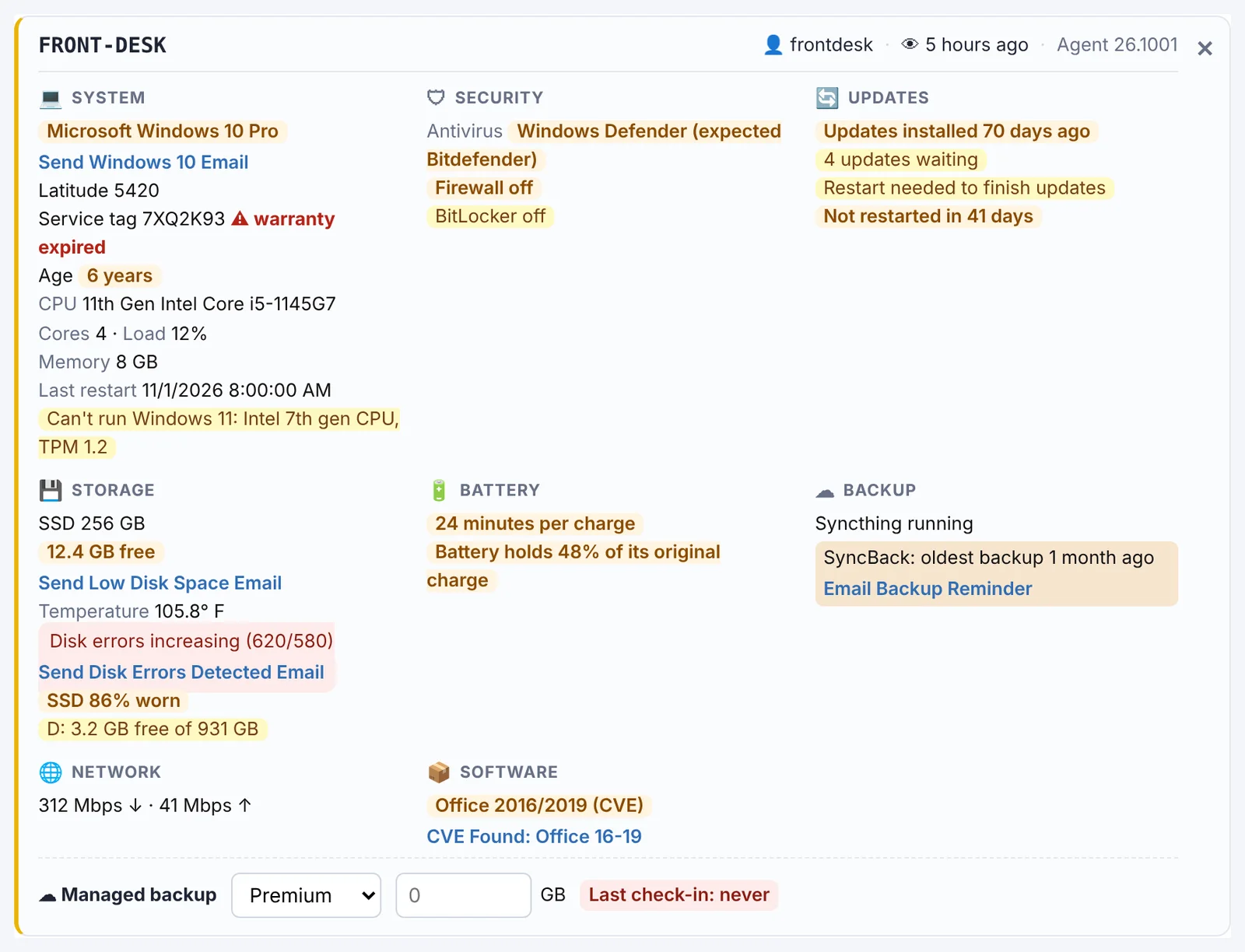
Each PC gets a card in the Alert Center, grouped the way you think about it: system, security, updates, storage, battery, backup, network and software. Anything that needs you is highlighted.
- The email for each problem sits right next to it: low disk space under Storage, Windows 10 under System
- Who's signed in, when it last checked in and its agent version at the top
- Connect with remote access from the same card
See every client PC at a glance.
Free for 14 days. No credit card needed to start.
The first place they look when something's wrong: you.
Every monitored PC gets a tray icon with your logo. One click and your client can book a visit, see their computer's health, or get your number.
- Upload your own icon; PCs pick up a new one on their own
- Schedule link, phone, email and the machine dashboard in one menu
- Looks like Windows' own menus, in light or dark mode
- Run more than one brand? Each gets its own icon and install command
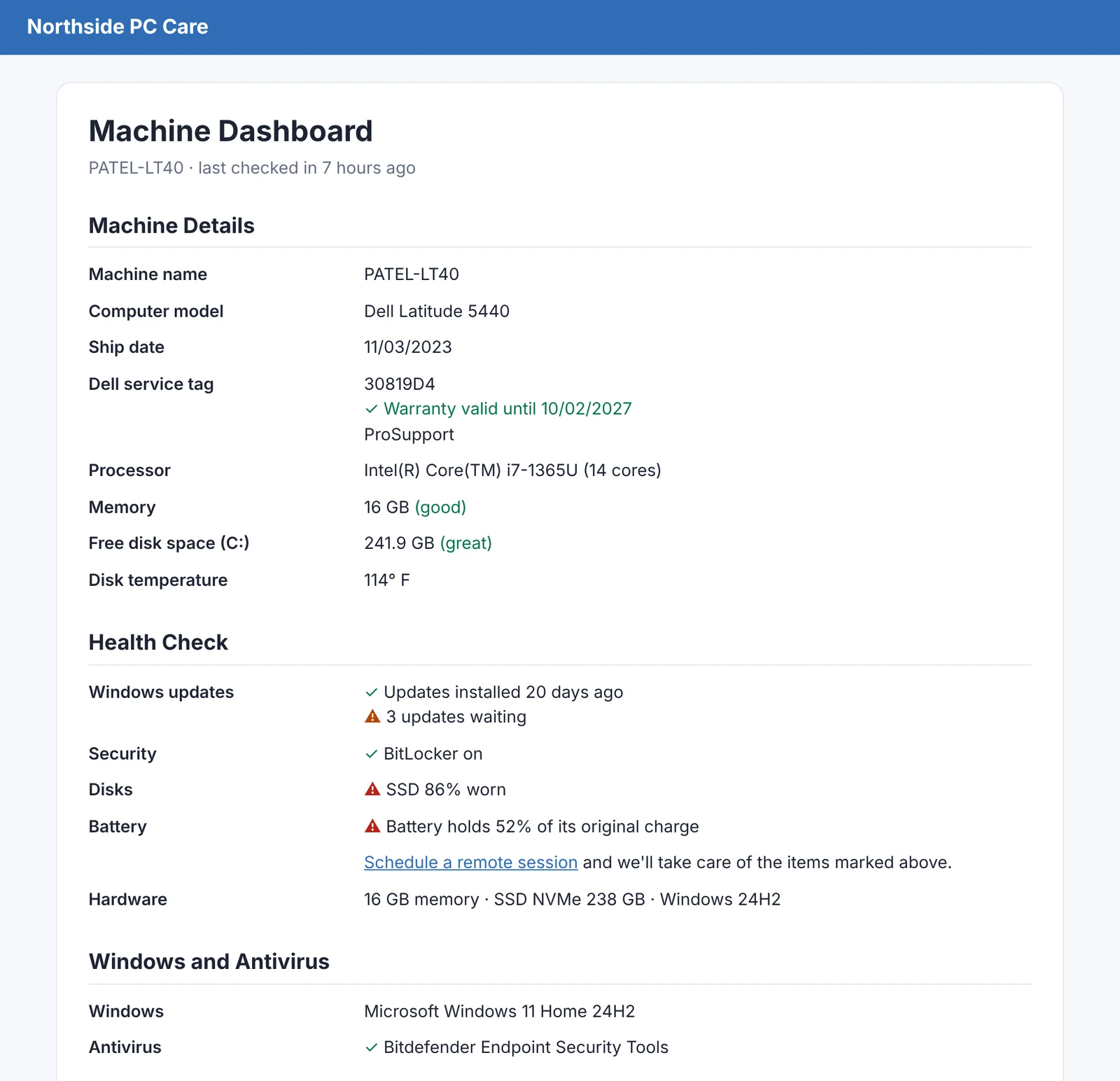
Show clients the health of their own computer, on your website.
"View Machine Dashboard" opens a page on your own website with that PC's health in plain language, and a link to book you for anything marked.
- Hosted on your site, so it carries your name, not ours
- Choose which sections show: details, health check, software, internet speed, backups
- Optional offers for antivirus and managed backup when a PC needs them
- Turn it off completely and it disappears from the tray menu too
Alerts that come to you
The agent does the checking. You get the short list.
Alert Center
Needs Attention lists every problem by type. Click a computer to jump to its card, or send the right email from the same row.
Morning email
One summary each day: overdue updates, PCs that haven't restarted, security gaps, failing disks and worn batteries.
Your thresholds
Days since updates, days without a restart, SSD wear, battery health, BitLocker required or not, and which checks count toward a client's alert total. Set them once in Settings.
Put the agent on your first PC in minutes.
Free for 14 days. No credit card needed to start.
Connect to them, too
The same agent can set up remote access on every PC, so you can jump on a machine straight from its alert. See remote access →
Put it on your clients' PCs today.
Start a free 14-day trial and install the agent on your first PC in minutes.
Monitoring works with Windows 10 and 11 PCs. Macs aren't supported yet.